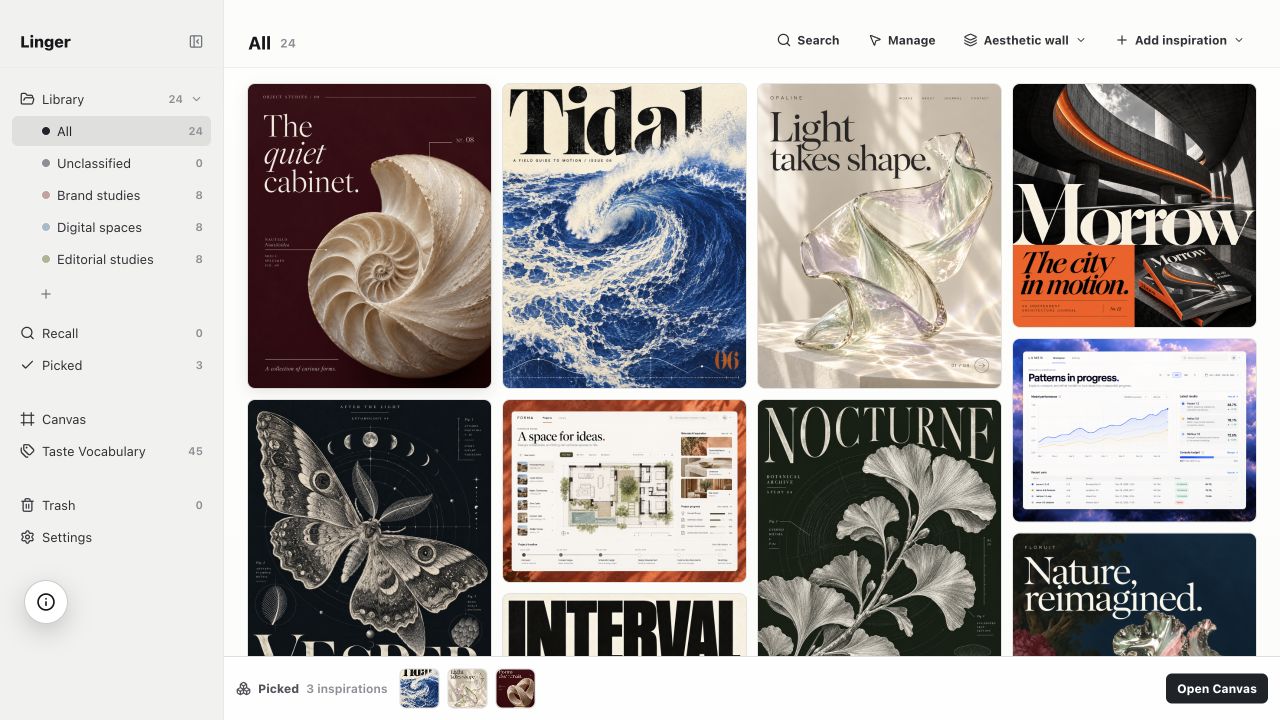
Keep what catches your eye. Find it when you need it.

A private, local-first image organizer for design references on macOS. Save images, screenshots and links with your own notes — pay once, keep your library forever.

See pricing
Explore the browser demoOpen an image, or try searching “serif”.
Open demo
Linger’s actual interface · Curated demo collection · Browse, search, and edit notes. Changes reset on reload.

What if saving was just the beginning?

All together

A place for everything
that catches your eye.

Images, screenshots, links, and those tiny details worth keeping. Bring your references into one visual library, ready for the next project.
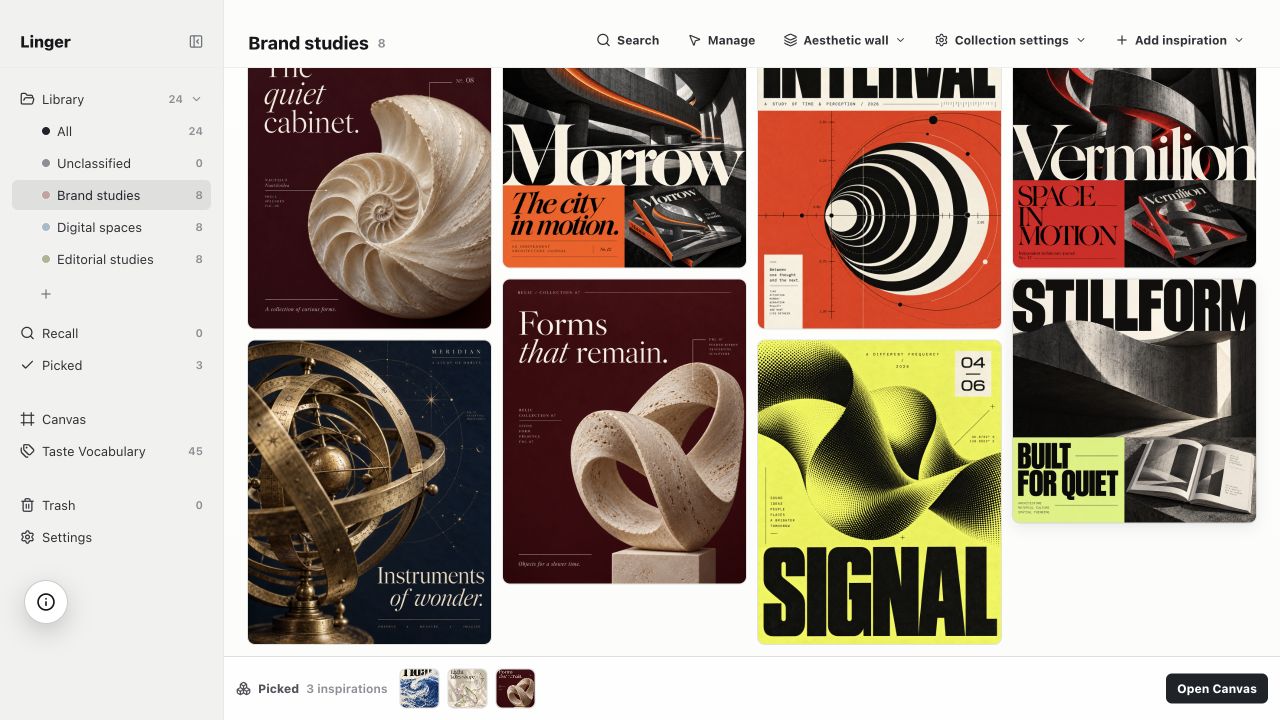
Linger’s collection sidebar with Brand studies selected beside its saved references

In your own words

Keep the reason
you saved it.

A color, a feeling, a detail in the typography. Add your own notes and tags alongside the source, so the image keeps its meaning.
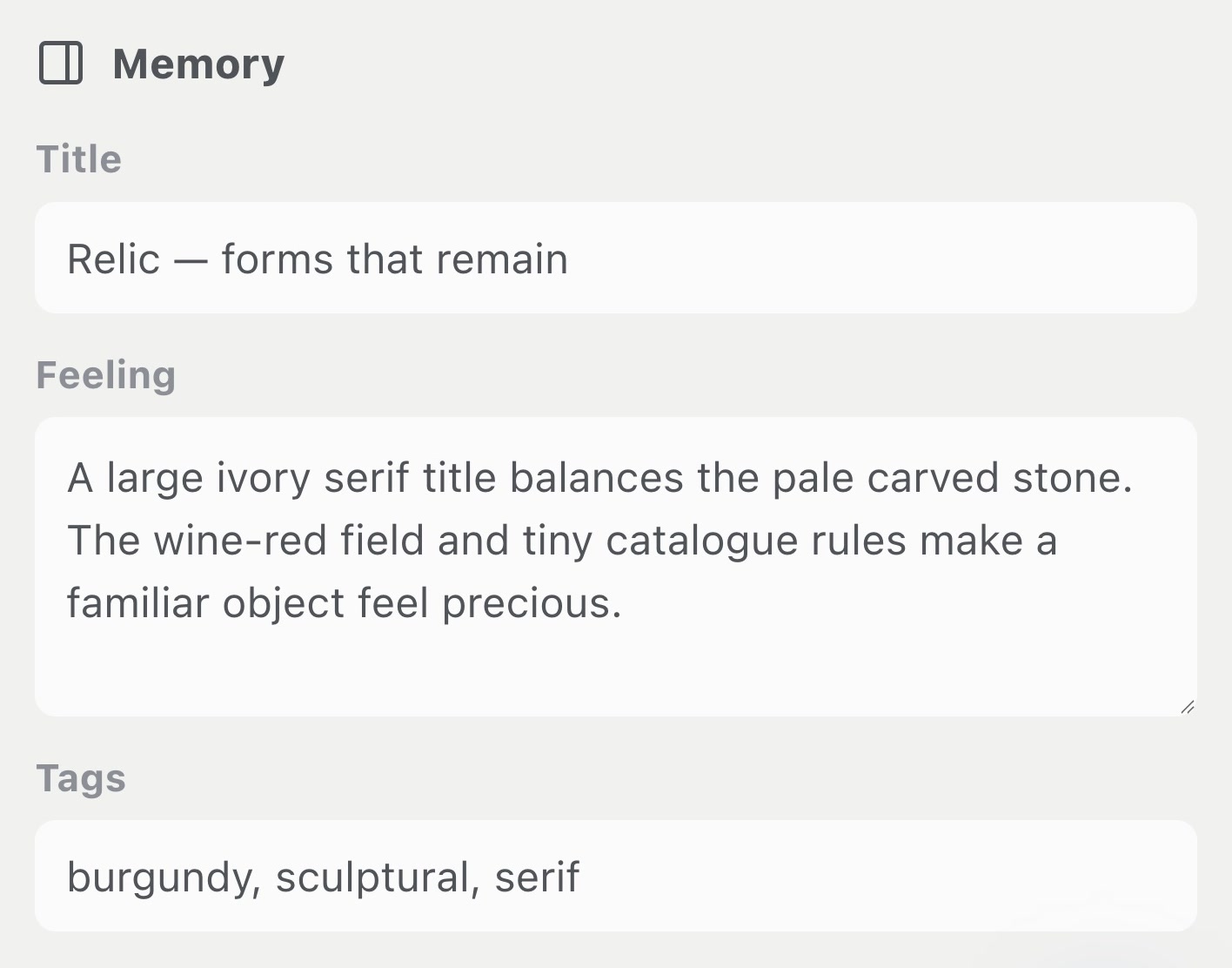
Real Memory panel with a note about ivory typography, burgundy color and sculptural forms

A way back

Less looking.
More making.

Search your saved titles, notes and tags. Narrow things down by source, media or date. Turn a useful query into a collection you can return to.

How to organize your design references
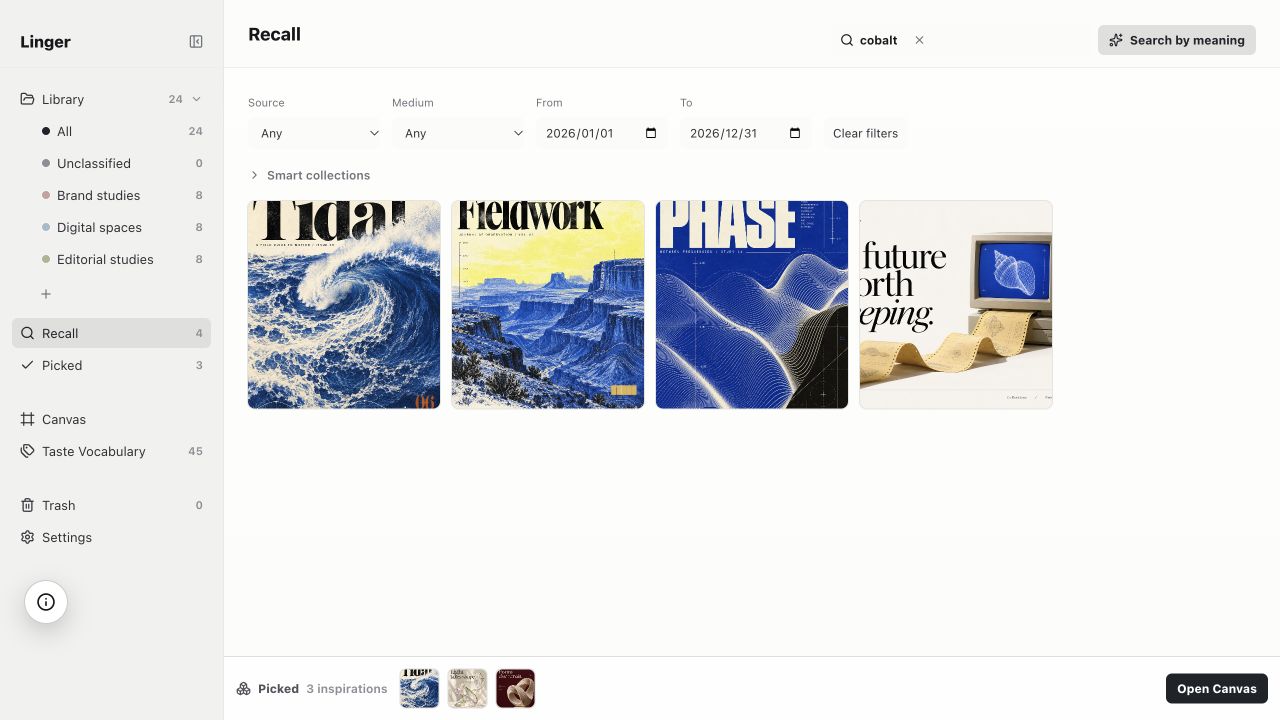
The actual cobalt query, source and date filters, and four matching references in Linger Recall

Designed foryour way of seeing.

Collect first.

Drop in a file, paste a screenshot, or keep a link. Start with what interests you.

Make it personal.

Keep your first impression. A few words can be the most useful part of a reference.

Come back to it.

Browse your library or follow a remembered detail back to something you saved.

One library. Many kinds of inspiration.

ImagesScreenshotsWeb linksPersonal notes

Keep the reference and the context, side by side.

Your references,ready to return to.

Space to see it all

Switch to a compact grid. Tuck the sidebar away.
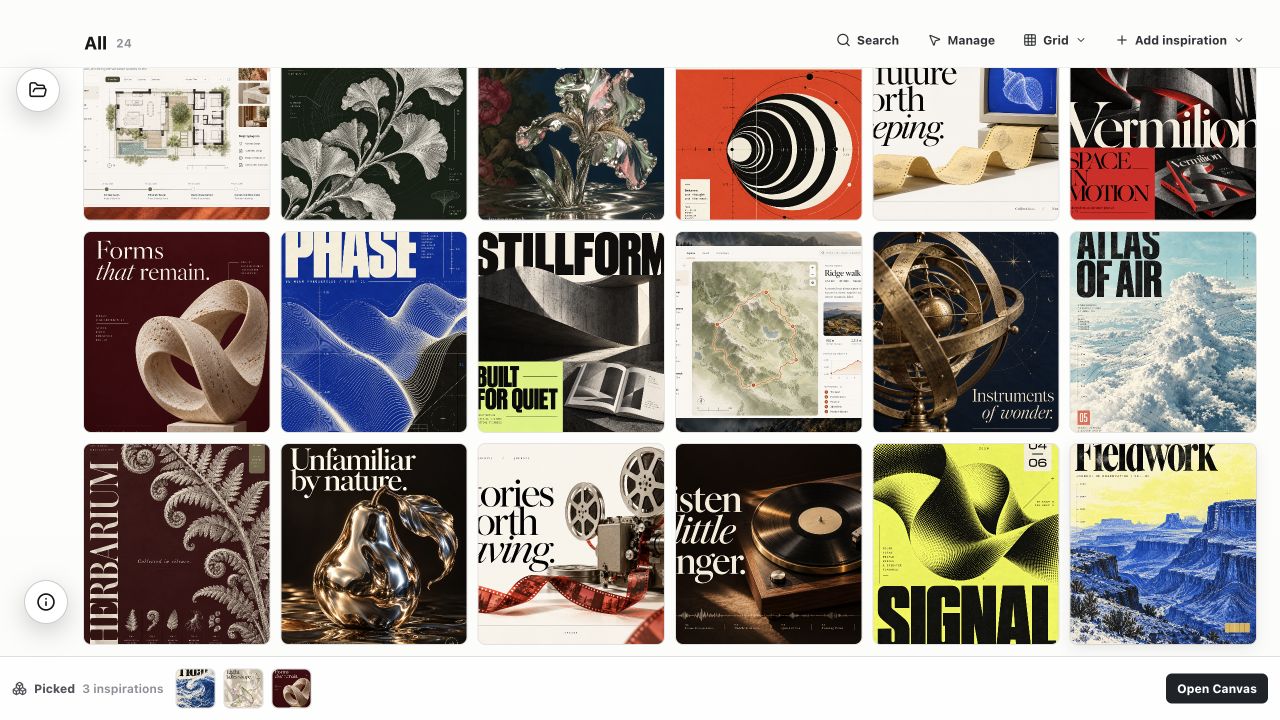
Twelve different references from the second half of Linger’s library, with the sidebar hidden

A stack worth revisiting

Gather references by month, collection or tag.
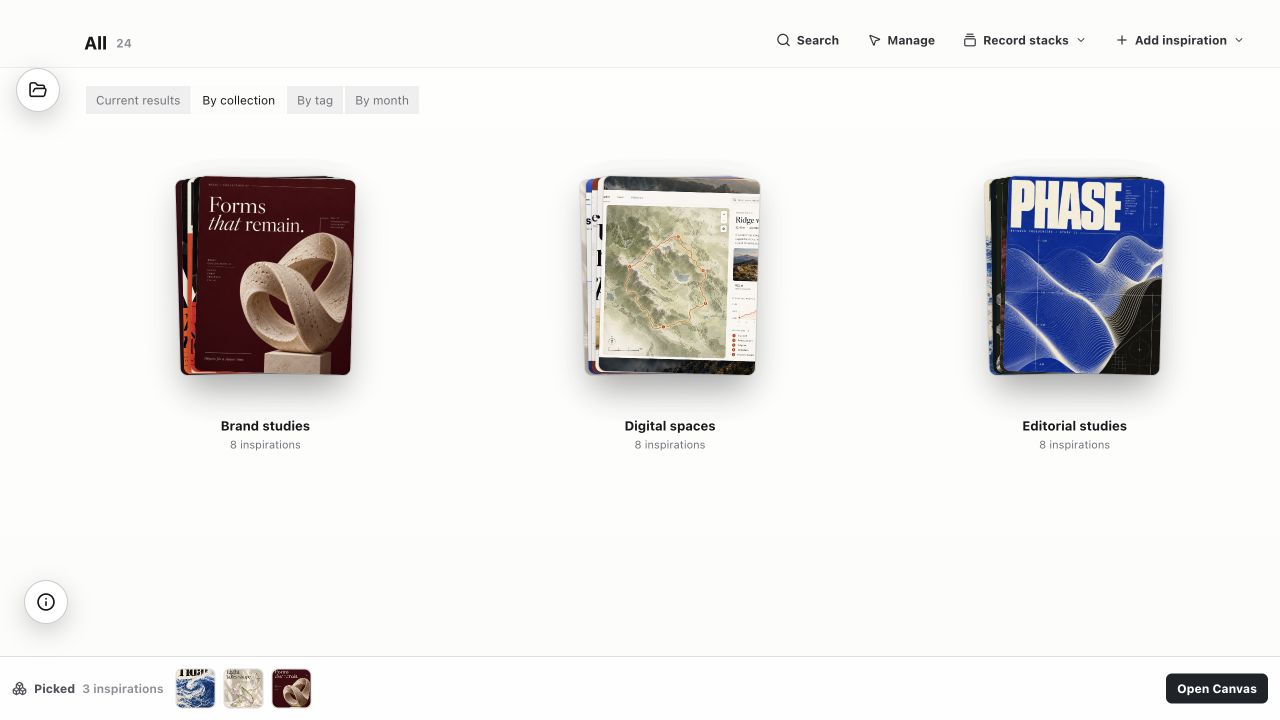
Linger image record stacks screenshot

A closer look

Give one reference your full attention.
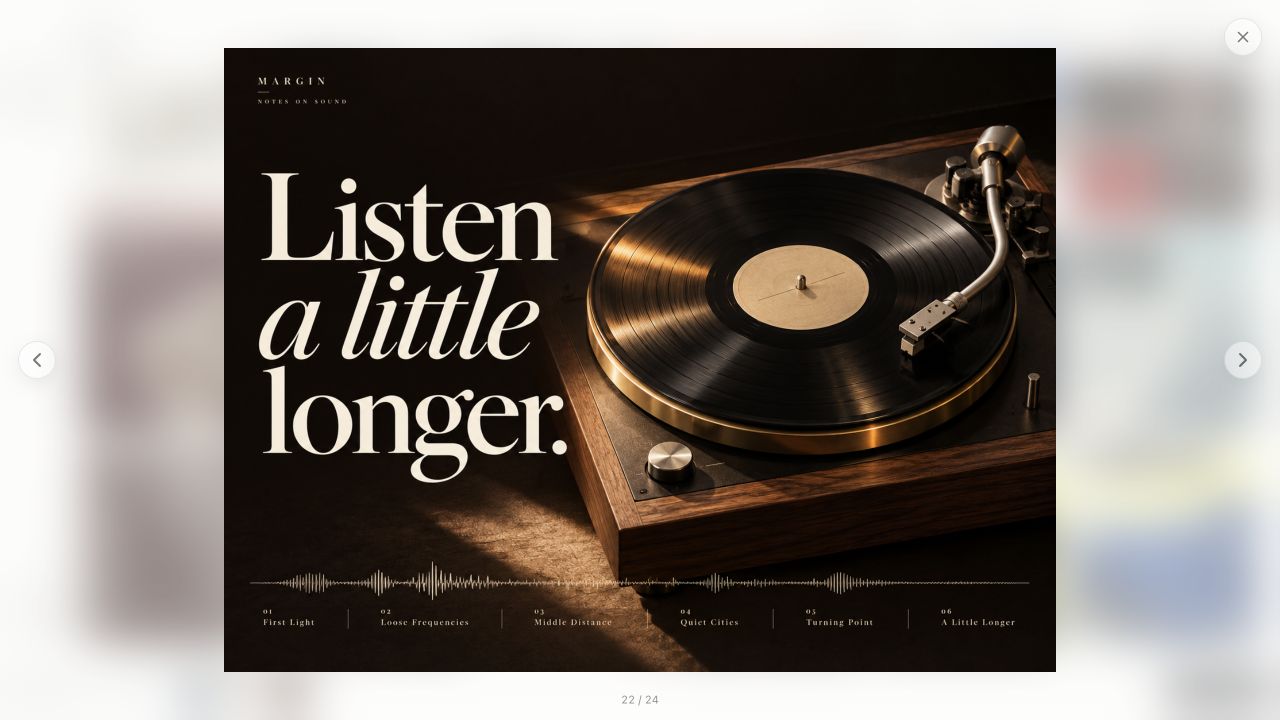
Margin’s black vinyl record in Linger’s actual focus viewer

One reference leads to another

Flip through a stack, one image at a time.
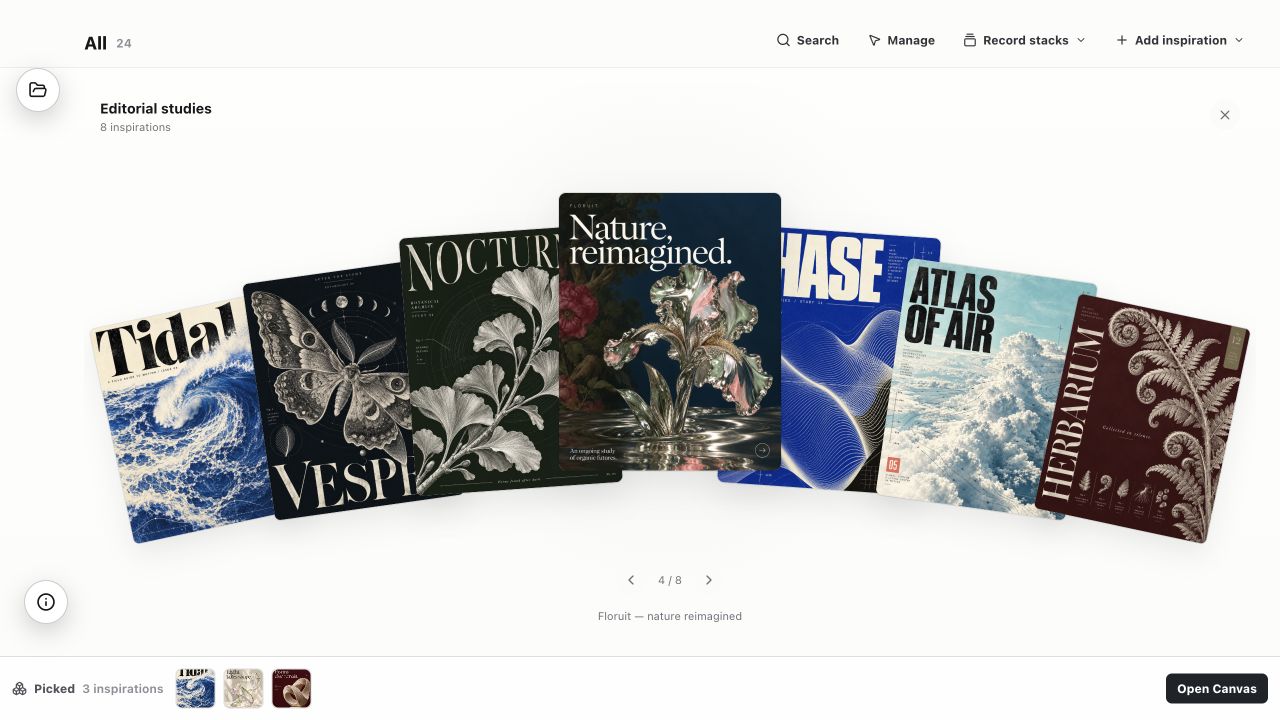
Editorial studies opened for browsing, with Floruit selected among seven references

Your inspiration stays yours.

A home on your device

Your library lives locally. Collect and revisit references without turning them into a public feed.

Your originals, untouched

Linger keeps imported copies in its managed library. Your source files stay where you keep them.

Your words stay your words

Personal notes are kept separate from optional analysis written by an external AI agent.

AI is your choice

If you connect an external agent, selected references can be sent to its provider. Everyday collecting and search stay local.

Read our privacy policy

Good inspiration is worth keeping.

Personal is $39 USD for one person on 2 Macs; Lifetime is $79 USD for one person on 4 Macs. Pay once for a private home for your images and notes.

Compare pricing options

Personal and Lifetime are available to buy. Download links and activation codes are expected by email October 8–15, 2026.

30-day full trial in preparation. The desktop trial is not available yet. Read the planned trial terms.

Existing pre-orders: access and refunds

Pre-orders ended . Download links and activation codes for existing orders are expected by email October 8–15, 2026.

Your original terms remain: one person, two Macs, permanent use of Linger 1.x and all 1.x updates. Future major upgrades are optional purchases. Each Mac has a separate local library; cloud sync is not included.

Before delivery, contact support@bhalgo.com for a full refund. If delayed, you may wait or request a full refund.